
Step 1: Check Status Page
The firstStatus thingPage shows live uptime information for several of our services. Whenever you shouldare experiencing a connection issue, it is best to check whenthe you'restatus havingpage anyfirst.
Check connectionZeroTier issueBackend
Open the Status Page. Findand look under the serviceBackbone section. There are two critical services that must be online in order for the ZeroTier network to operate: the "Max's Hub Network Controller" and the "Local DNS."
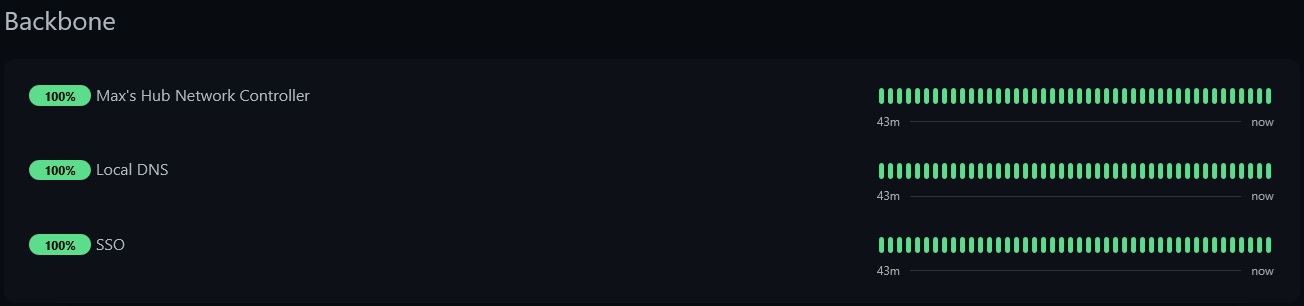
- If the network controller is offline (Red)...
That is bad. Please let me (Max) know as soon as possible. When the network controller is offline, nothing onthatthepageZeroTierandnetworkseewillifbeit'sreachable. Do not continue with this guide. - If the Local DNS is offline (Red)...
This may cause issues with some services. This should not affect game servers or most things hosted on HumbleHub. Still, please let me (Max) know as soon as possible so it can be addressed. Do not continue with this guide. - If both are online
or(Green)...
Proceednot.below.
Check briefSpecific write-upService
The Status Page will have an entry for each individual service where possible. Search for the specific service you're trying to connect to on that page explaining how to read the informationStatus displayed there.Page.
-
If the service is online (Green)...
Proceed to the next step.
-
If the service is offline (Red)...
This indicates an unexpected failure of the service. Double-check the top of the Status Page to see if there is already an announcement about this failure. If not, reach out to me (Max) so I can see what's going on.
Do not continue with this guide. -
If the service is under maintenance (Blue)...
Pretty self-explanatory. Maintenance is normally announced beforehand along with a time frame. If a service has been under maintenance for a really long time or past any mentioned time frame, and you suspect something might be wrong, feel free to shoot me (Max) a message. Do not continue with this guide.
-
If the service status is unknown (Yellow)...
Reach out to me (Max) directly with support code
1. Do not continue with this guide.