
Determine How Much RAM You Have
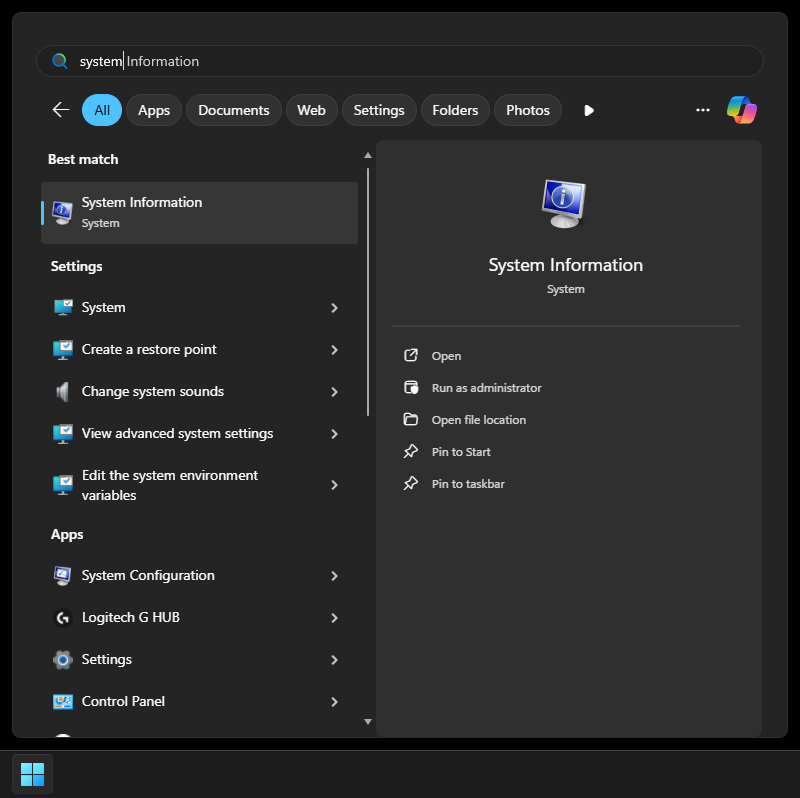
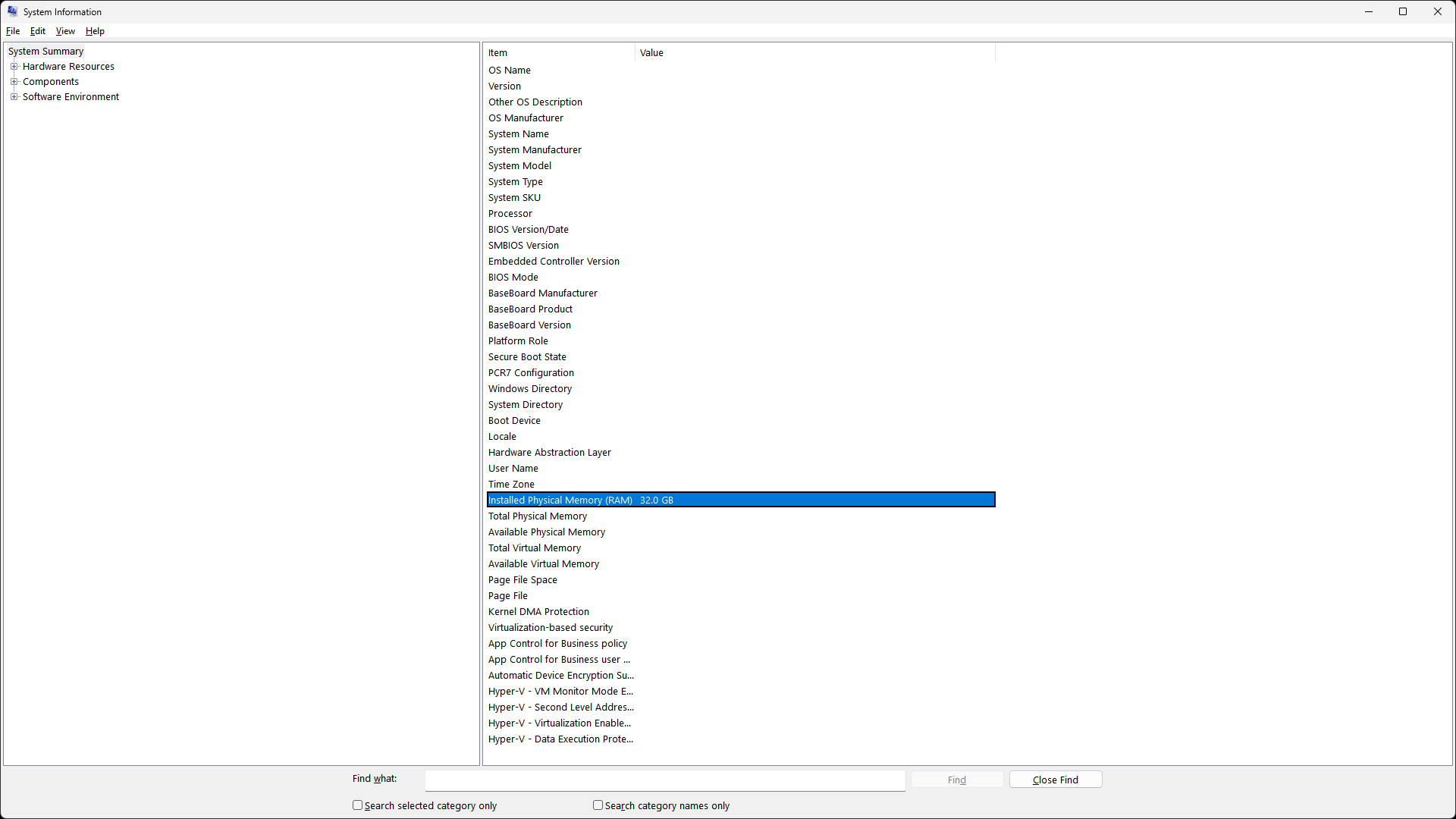
Once System Information opens, it will show a system summary which includes various pieces of information. Look towards the bottom of this list for a line that says "Installed Physical Memory (RAM)." The number provided here is the amount of RAM you have installed. See the example below.
No Comments